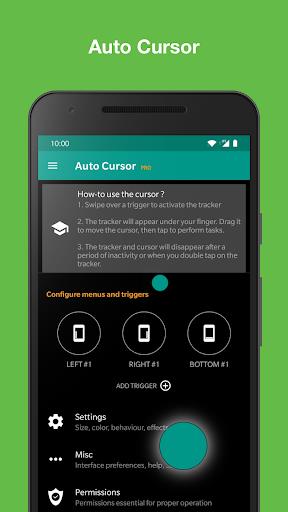
Struggling to comfortably use your large smartphone with one hand? Auto Cursor is the answer. This innovative app introduces a screen-edge accessible pointer, revolutionizing one-handed navigation. Effortlessly reach any corner of your screen, execute clicks, long presses, and drags, and even assign unique actions to each trigger. From launching apps and adjusting settings to controlling media and performing quick actions, Auto Cursor simplifies everything. Enjoy an ad-free experience with complete privacy protection. Unlock even more features and customization options by upgrading to the Pro version.
Features of Auto Cursor:
❤️ Effortless One-Handed Use: Access a convenient pointer from your screen's edges for easy one-handed operation on larger smartphones.
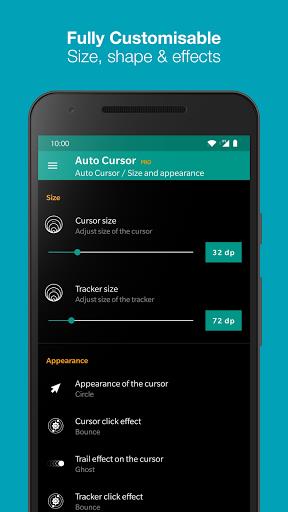
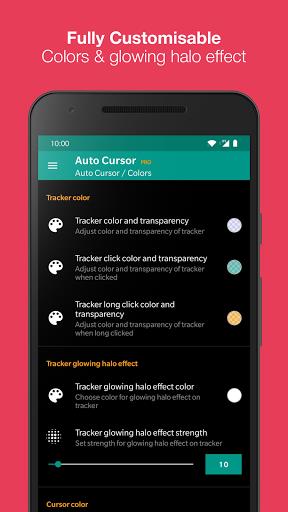
❤️ Highly Customizable Triggers: Tailor the app to your preferences. Adjust the size, color, and effects of triggers, tracker, and cursor.
❤️ Extensive Action Support: Perform a wide array of actions, including app navigation, accessing notifications and settings, taking screenshots, clipboard management, voice assistant activation, toggling system settings (Bluetooth, Wi-Fi, GPS, Auto-Rotate, Split Screen, Sound, Brightness), and media controls.
❤️ Launch Apps and Shortcuts: Quickly access frequently used apps and shortcuts, including Dropbox folders, Gmail labels, contacts, and navigation routes.
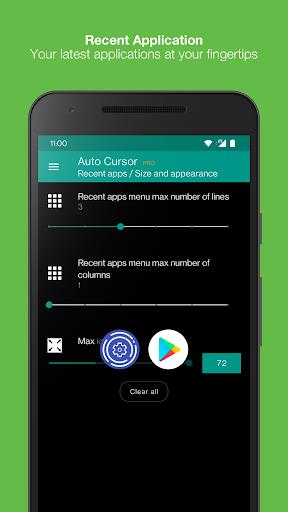
❤️ Pro Version Enhancements: The Pro version unlocks advanced features such as long clicks and drags, expanded long-click trigger actions, access to more actions and a recent apps menu, slider-based volume and brightness adjustments, and extensive cursor and tracker customization.
❤️ Privacy-Focused Design: No internet authorization is required, and no data is transmitted without your explicit knowledge. The accessibility service is used solely for app functionality; no data is collected or sent.
Conclusion:
Auto Cursor provides a seamless and private mobile experience. Its commitment to user privacy makes it a trustworthy choice. Download Auto Cursor today and experience effortless smartphone usage.