EasyScreenRotationManager: Effortlessly Manage Your Phone's Screen Orientation
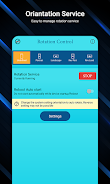
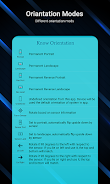
EasyScreenRotationManager is a simple yet powerful app designed to provide complete control over your phone's screen orientation. This handy tool allows you to easily switch between various orientation modes, including permanent portrait, permanent landscape, reversed portrait and landscape, and sensor-based rotation.
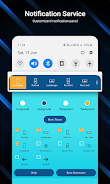
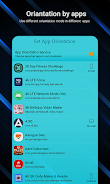
Beyond basic rotation control, EasyScreenRotationManager offers extensive customization options. Personalize your notification panel by adjusting colors and adding up to five quick-access rotation controls for instant adjustments. Need different orientations for specific apps? This app allows you to set individual orientations, ensuring optimal viewing for each application.
Key features include:
- Flexible Orientation Control: Choose from a range of orientation modes to perfectly suit your needs.
- Notification Panel Customization: Tailor your notification panel's appearance and add shortcuts for quick orientation changes.
- App-Specific Orientations: Set unique orientations for individual apps for a truly personalized experience.
- Reset Options: Easily restore default theme and orientation settings.
- Notification Management: Control notification permissions, lock screen access, and system notification settings directly within the app.
- Restart Service: Maintain your preferred orientation settings even after restarting your phone.
In short, EasyScreenRotationManager provides a comprehensive and user-friendly solution for managing your phone's screen orientation. Download today for seamless and convenient control, anytime, anywhere.