Wondering what your child is up to on their school-issued device? The GoGuardian Parent App lets you easily keep an eye on the websites, apps, and extensions your child uses. Track teacher interventions like screen locks and closed tabs, and start more meaningful conversations about their online activity. You can also apply internet controls on devices at home to foster a safer and more focused digital space. Plus, view detailed browsing history and block specific websites outside school hours. Stay engaged and informed in your child's digital life with the GoGuardian Parent App.
GoGuardian Parent App Features:
1. Insight into Online Activity
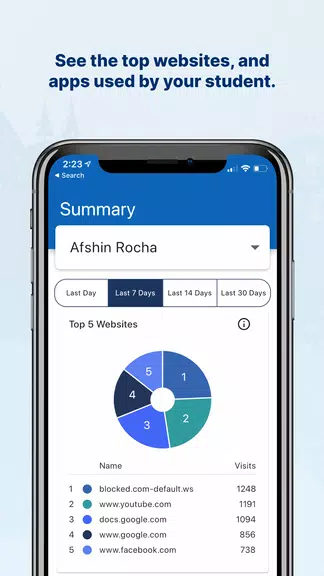
See the top five websites your child visits on school devices. This helps you better understand and monitor their online interactions, sparking positive conversations about responsible internet use.
2. App and Extension Monitoring
Gain insights into the top five apps and extensions used by your child. This helps you identify the tools they engage with and ensures they’re accessing appropriate learning resources.
3. Teacher Intervention Tracking
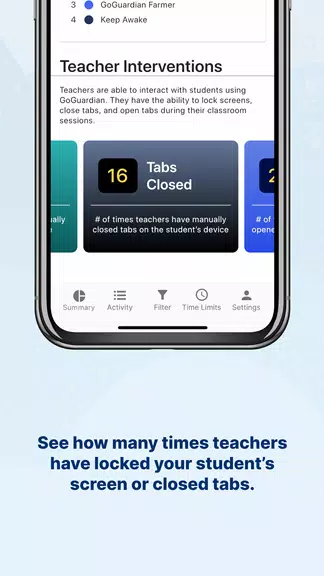
See how often teachers have locked your child’s screen or closed tabs during class. This offers a look into classroom management and how your child is participating in lessons.
4. Detailed Browsing History
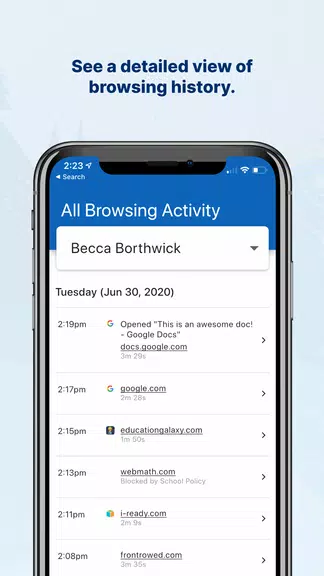
Access a comprehensive browsing history for your child. This detailed view helps you understand their online habits and guides talks about safe internet practices.
5. Customizable Time Periods
Select specific time frames to view data, so you can track changes in your child’s online behavior over time. This flexibility allows for personalized monitoring.
6. Website Blocking Capabilities
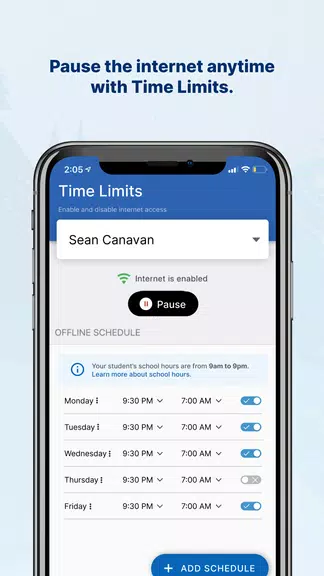
Block specific websites on school devices outside of school hours. This gives you the power to manage your child’s online access and encourage healthier screen time.
Tips for Users:
⭐ Use the app to start meaningful conversations about online activities and encourage safe, responsible technology use.
⭐ Set limits on specific websites or apps to help your child stay focused on schoolwork during study times.
⭐ Review app data regularly to stay updated on your child’s online behavior and address any issues quickly.
⭐ Use internet controls to manage device use after school and help your child build healthy tech habits.
Conclusion:
The GoGuardian Parent App helps you stay informed and play an active role in your child’s digital education. By using its features and tips, you can create a secure and productive online space for your child. Take charge of their digital experience and encourage responsible tech use with this powerful tool. Download the app today and start monitoring and managing your child’s school devices with confidence.