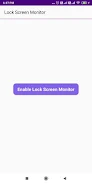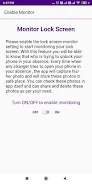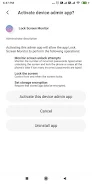

Ensure your privacy and security with the Lock Screen Monitor & Password App. By activating the lock screen monitor feature, you can enjoy peace of mind, knowing your phone remains secure even when you're away. This cutting-edge app discreetly captures photos of anyone attempting to unlock your device and stores these images in a secure location. No more guessing who might have tried to snoop on your phone; with this app, you have the power to review and manage these photos directly within the app. Easily share or delete them as you see fit, and take back control over your personal information.
Features of Lock Screen Monitor & Password:
Lock Screen Monitoring: Activate the lock screen monitor feature to receive notifications whenever someone tries to access your phone without your presence.
Photo Capture: The app captures a photo of any unauthorized individual attempting to unlock your phone. These photos are safely stored within the app, ensuring your privacy.
Photo Gallery: Access a dedicated photo gallery within the app to view all captured images. This helps you quickly identify and monitor anyone trying to access your device without permission.
Share and Delete: With just a few taps, you can share or delete the captured photos according to your preferences. Sharing these photos can alert others to potential unauthorized access attempts.
Privacy Protection: The app prioritizes your privacy by storing captured photos in a secure, inaccessible location, ensuring that only you can view them.
User-friendly Interface: Designed with simplicity and ease of use in mind, the app's interface allows users of all ages to effortlessly monitor and secure their lock screen.
Conclusion:
The Lock Screen Monitor & Password App is your ultimate tool for safeguarding your phone when you're not around. By enabling the lock screen monitor feature, the app captures and securely stores photos of any unauthorized access attempts. With its intuitive interface and robust features such as a photo gallery, sharing, and deletion options, this app is essential for anyone serious about their device's privacy and security. Don't compromise on your phone's safety—download the app today and protect your privacy with confidence!