Securing MVP cards in Ragnarok M: Classic can greatly boost your character's power and earn you significant in-game currency. This guide offers an efficient card rerolling method, designed to help even beginners obtain these valuable items in just about five minutes. Follow each step precisely to ensure success—skipping any part could cause delays or failure. Have questions about guilds, gameplay, or our offerings? Join our Discord for community support and answers.
Quickly Level Your Account to 10
Start by creating a fresh account or using an alternate character to speed up the process. Go directly to the frontier area and concentrate on hitting level 10 as quickly as possible. Participate in the "New Beginnings" event to receive a Meteoric Chain, which boosts your experience gain and helps you reach level 10 in about 3–4 minutes. Using this item is essential because it dramatically increases your leveling speed, keeping your reroll progress on track.
Use Current Redeem Codes
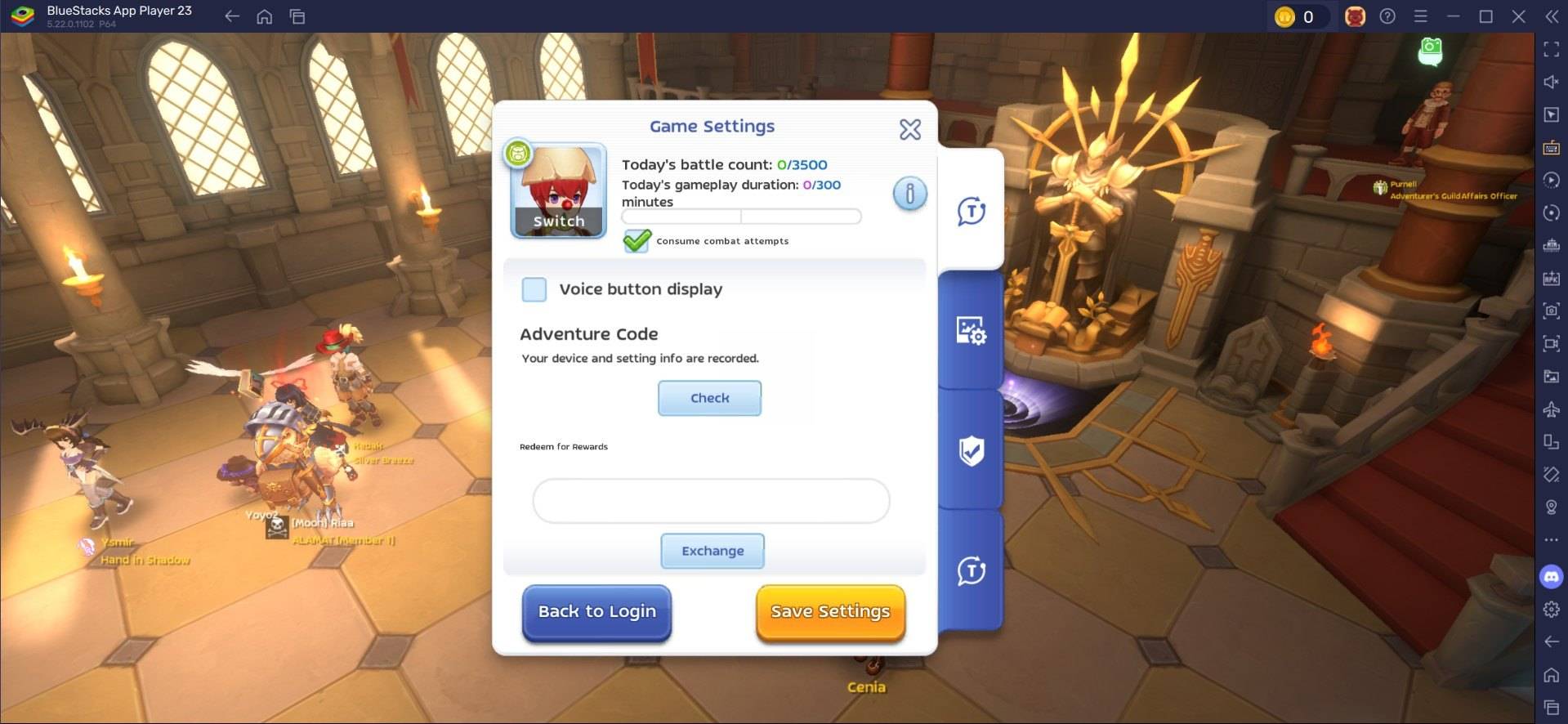
When you reach level 10, access the settings menu and enter available reroll codes. Enter each code carefully, since these tend to be time-sensitive and must be exact to work. If a code doesn’t register on your first try, repeat the entry until it does. After validation, collect all related rewards. For an updated roster of valid codes, check our dedicated blog post.
Sell or Trade Your MVP Cards
After obtaining a valuable MVP card, visit the in-game Exchange to sell or trade it. Popular cards like Moonlight Flower can sell for 20,000–30,000 Zeny. Use features like Ghost Trading to get the most value from certain cards. By following this structured method, you can consistently reroll for MVP cards in Ragnarok M: Classic, improving both your gameplay and financial status.
Speed Up Rerolls with BlueStacks
Playing Ragnarok M: Classic on PC via BlueStacks not only improves your gaming experience but also simplifies rerolling with efficiency-focused features. BlueStacks’ Multi-Instance Manager lets you create multiple instances—each one works as an independent Android device. You can clone an existing instance so you won’t need to reinstall the game on each one. Once you’ve launched as many instances as your system can handle, activate Sync mode and set the original instance as the "master."
Now any action you perform in the master instance will replay across all others. Start the reroll process on the master instance and watch as it automatically executes on all synchronized windows. You can use guest accounts during this process and, once you get the card you want, bind the account to save your progress.
With BlueStacks, you can play Ragnarok M: Classic on your PC or laptop’s larger screen and use your keyboard and mouse for better control.