快速链接
几乎所有PC玩家都熟悉Steam及其功能。虽然PC玩家了解Steam的优缺点,但有些人并不了解一些简单的事情,例如显示离线状态。当你在Steam上显示离线状态时,你将变得隐形,从而可以玩你喜欢的游戏而不会提醒你的朋友。
每次登录Steam时,你的朋友都会收到通知,他们也会知道你正在玩的游戏。如果你选择显示离线状态,你可以玩任何你想要的游戏,甚至可以与朋友聊天,但你将保持隐形状态。如果你不知道如何显示离线状态,本指南将说明如何操作,并提供其他可能有用的相关信息。
在Steam上显示离线状态的步骤
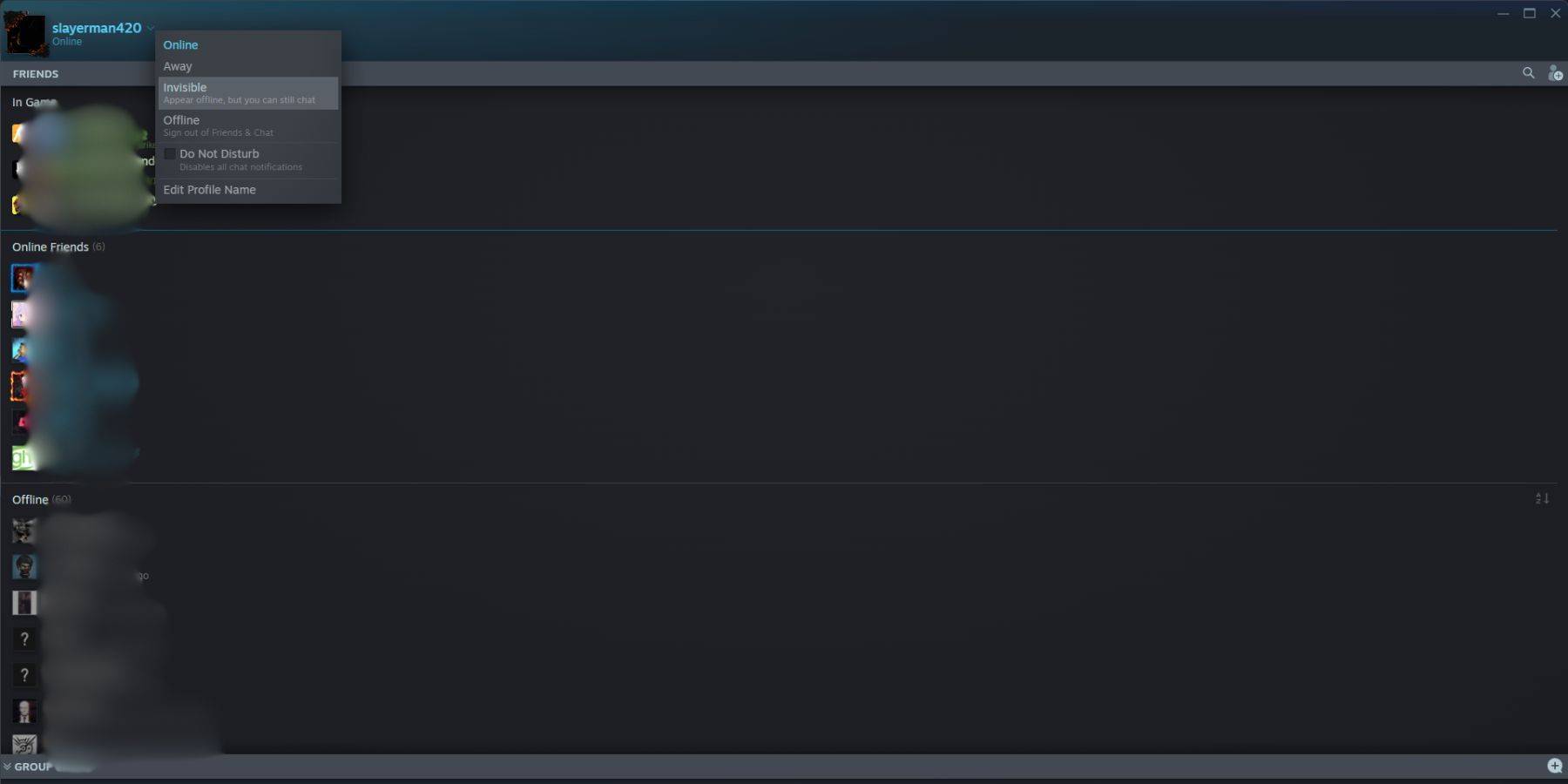 以下是你在Steam上显示离线状态需要执行的操作:
- 在你的PC上访问Steam。
- 点击屏幕右下角的“好友与聊天”。
- 点击你用户名旁边的箭头。
- 点击“隐身”。
以下是另一种快速在Steam上显示离线状态的方法:
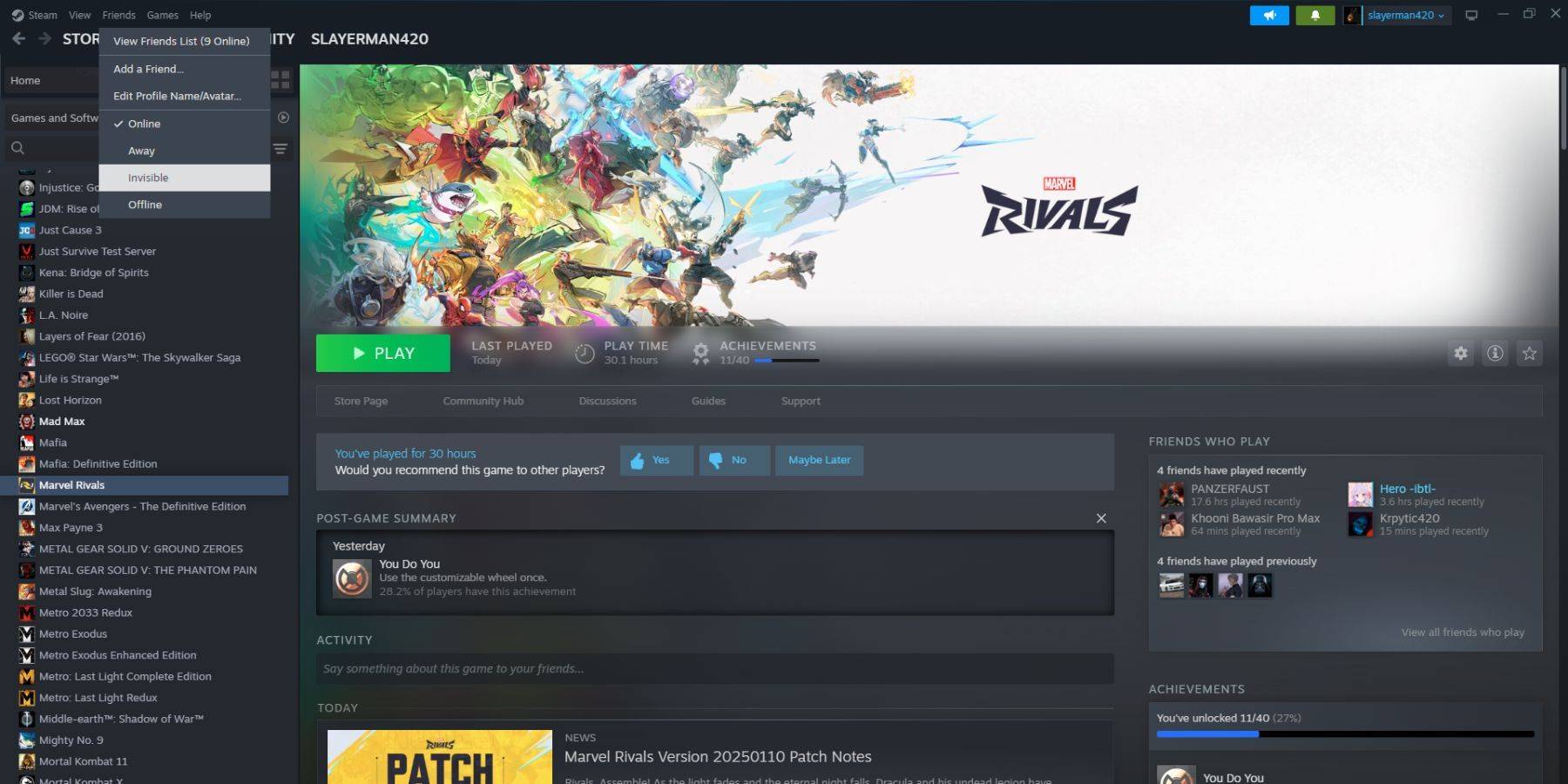 1. 在你的PC上访问Steam。
2. 在顶部菜单栏中选择“好友”。
3. 选择“隐身”。
1. 在你的PC上访问Steam。
2. 在顶部菜单栏中选择“好友”。
3. 选择“隐身”。
在Steam Deck上显示离线状态的步骤
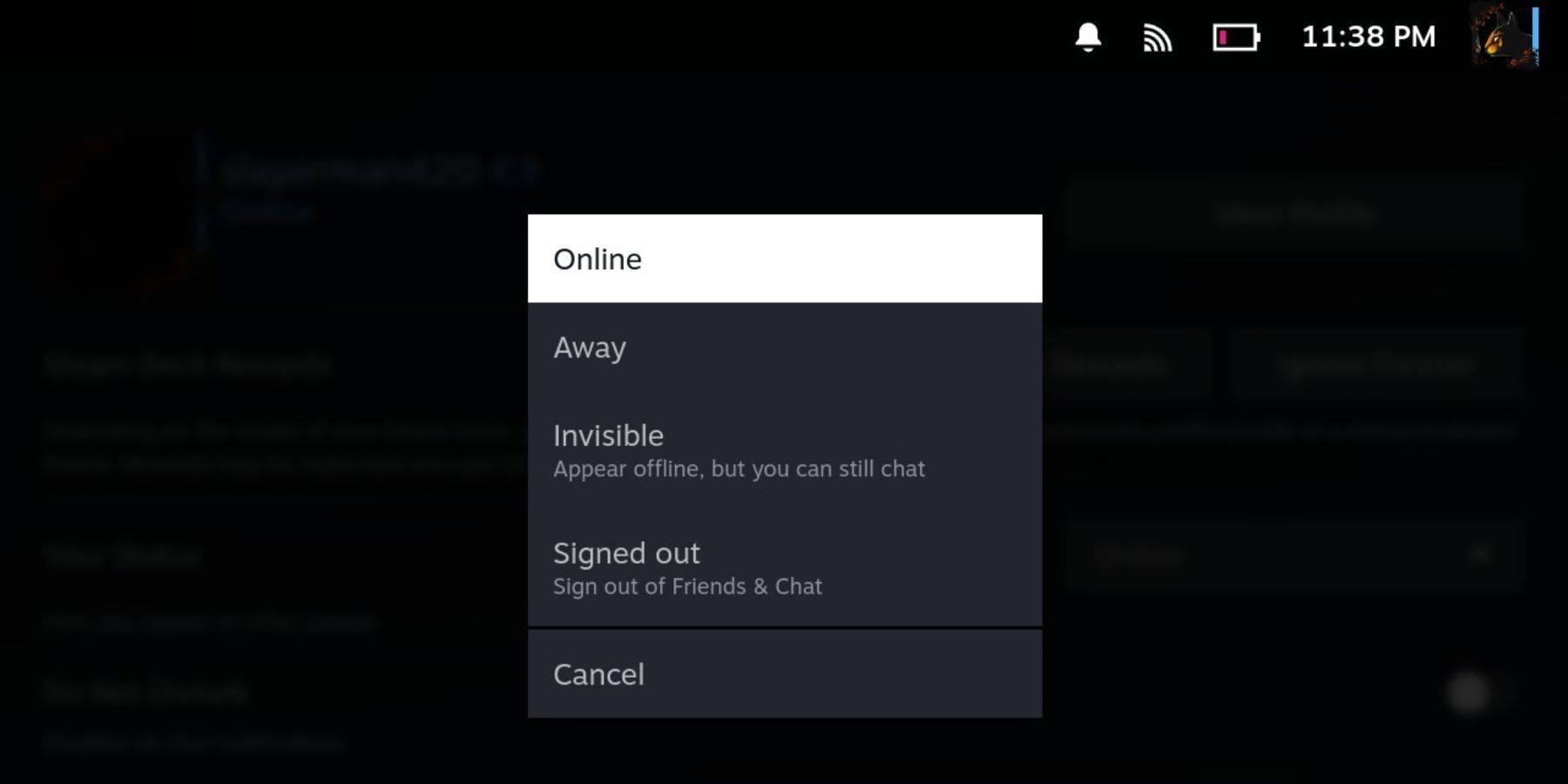 如果你想在你的Steam Deck上显示离线状态,你需要执行以下操作:
- 打开你的Steam Deck。
- 点击你的个人资料图片。
- 从你状态旁边的下拉菜单中选择“隐身”。
选择“离线”将使你完全退出Steam。
为什么要在Steam上显示离线状态?
 许多Steam用户可能想知道他们首先为什么要显示离线状态。以下是一些你可能想要显示离线状态的原因:
- 你可以在玩任何游戏时避免朋友的评判。
- 一些玩家只是想沉浸在单人游戏中而不会被打扰。
- 有些人在工作或学习时甚至会将Steam留在后台运行。通过显示离线状态,你无需担心朋友邀请你玩游戏,从而确保你保持高效。
- 直播主和内容创作者在录制或直播游戏时需要高度集中注意力,因此他们可以显示离线状态以避免任何干扰。
总而言之,现在你已经知道如何在Steam上显示离线状态了,请充分利用这些信息。现在,当你访问Steam时,你知道在你想安心玩你喜欢的游戏时需要做什么了。