PrinterShare Mobile Print App: Your Android Device's Printing Solution
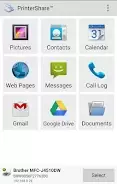
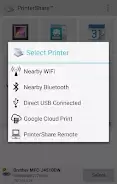
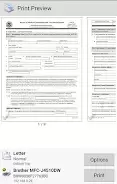
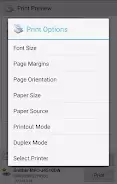
PrinterShare empowers Android users to effortlessly print diverse file types – photos, emails, documents, invoices, web pages, and more – to virtually any printer, regardless of distance. While some advanced features require a Premium upgrade, the free version provides ample functionality, supporting image, email (including attachments), contact, and even text message printing. Customize your prints with options for paper size, orientation, and more, ensuring efficient and precise results.
Key Features of PrinterShare Mobile Print:
- Unmatched Versatility: Print a wide array of files, including PDFs, Microsoft Word, Excel, PowerPoint, and many other popular formats. This adaptability caters to all your printing needs.
- Effortless Printing: Print seamlessly from your Android device to nearly any printer, whether nearby or remotely located. Ideal for on-the-go printing convenience.
- Customizable Settings: Tailor your printing experience by adjusting paper size, orientation, color, and print quality. Gain complete control over the printing process.
- Cloud Integration: Print directly from cloud storage services such as Google Drive, OneDrive, Box, and Dropbox, streamlining document access and printing.
User Tips:
- Test Printer Compatibility: Before purchasing premium features, print a test page to verify compatibility with your printer. This simple step prevents potential issues.
- Explore Printing Options: Experiment with PrinterShare's various settings to optimize your printing results for specific needs.
- Leverage Cloud Printing: Utilize the app's cloud integration for convenient printing from your preferred cloud storage.
In Conclusion:
PrinterShare Mobile Print is a versatile and user-friendly printing solution for Android. Its broad file format support, customizable settings, and seamless cloud integration provide a comprehensive printing experience. Print photos, emails, documents, or web pages easily, anytime, anywhere. Download PrinterShare today and enhance your mobile printing capabilities.