Compatible with Wacom One pen tablets CTC4110WL & CTC6110WL for Android versions 8 through 13.
Designed exclusively for use with the Wacom One CTC4110WL and CTC6110WL pen tablets on Android 8-13.
FOR ANDROID 8-13 ONLY:
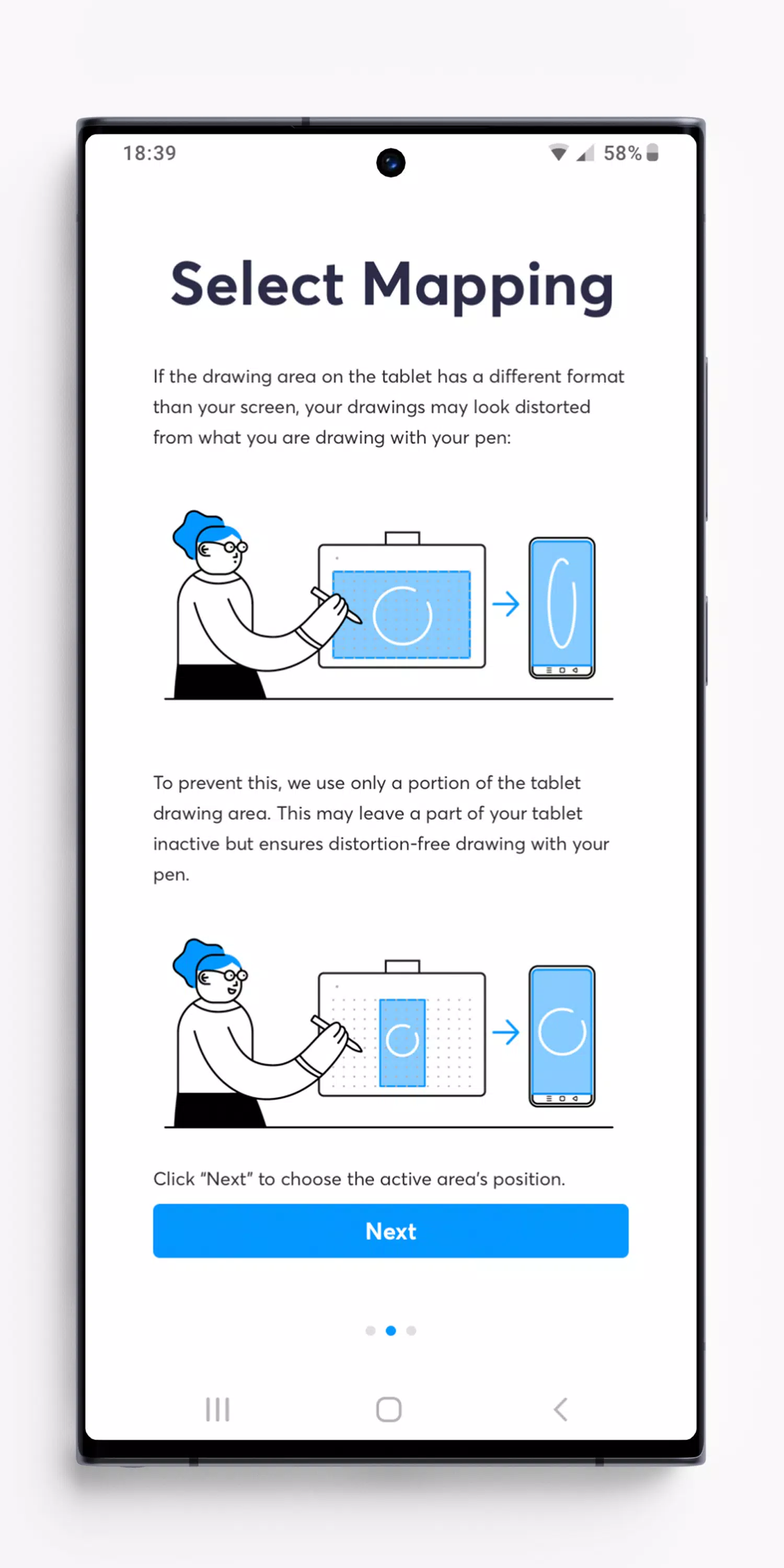
Your Android screen and your Wacom One drawing area have different aspect ratios. Without the Wacom Center App, your strokes on the tablet may appear distorted on the device screen.
The Wacom Center app calculates the precise drawing area size needed for accurate, distortion-free drawing and adjusts the active area accordingly. The remaining tablet surface becomes inactive. On most Android devices, you can select from three possible locations for this drawing area.
You're now ready to draw.
Note: Nearly all Android 8-13 devices require portrait orientation when using a pen tablet like the Wacom One. Android 8-13 does not support pen tablet input in landscape orientation or Desktop mode.
FOR ANDROID 14 & LATER:
This app is not needed on Android 14. Android 14 automatically ensures distortion-free drawing in all screen orientations. For a Bluetooth connection, pair your pen tablet in the Android system settings. If you have installed Wacom Center on Android 14 or later, you can uninstall it.