优化您的 Marvel竞争对手游戏玩法:设置调整的综合指南
奇迹竞争对手提供令人振奋的战斗,标志性的英雄和令人惊叹的视觉效果。虽然精心设计,但对设置进行微调可以显着提高游戏玩法的流动性和控制。本指南详细介绍了调整,以显示,图形和音频设置,以最大程度地提高硬件的性能并释放您的内部超级英雄。
注意:未明确提及的设置(绑定,可访问性,社交)受个人喜好的约束。
Marvel竞争对手:最佳显示设置
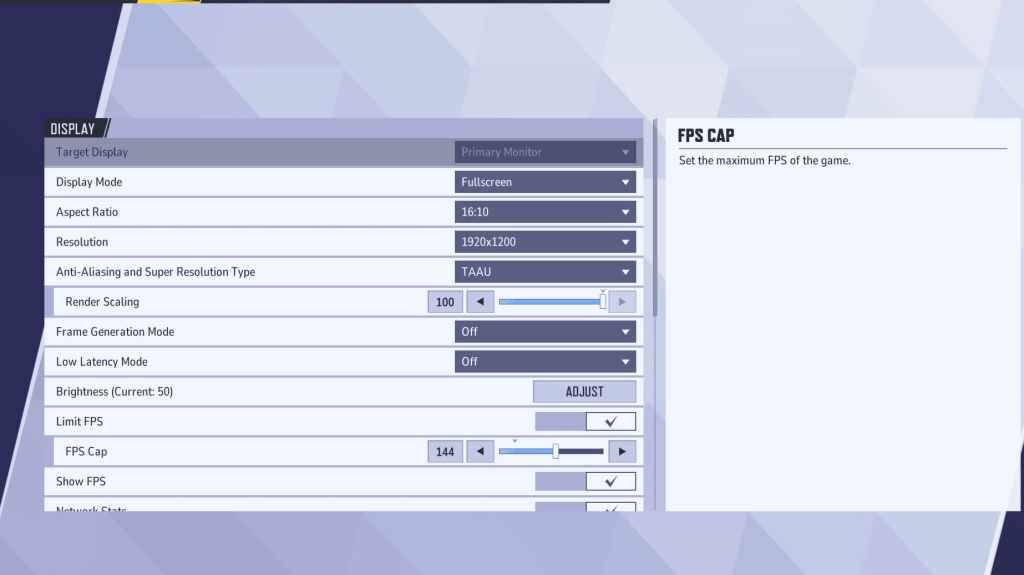
从基础显示设置开始。 建议使用全屏模式为认真的游戏玩家,将所有系统资源专门用于游戏,最大化FPS并最大程度地减少干扰。 无边界的窗口模式提供多任务便利性,但可能会稍微降低fps并引入输入滞后。
| Setting | Description | Best Setting |
|---|---|---|
| Display Mode | How the game is displayed. | Fullscreen (prioritizes performance); Borderless Windowed (allows multitasking) |
| Resolution | Game resolution. | Monitor's Native Resolution |
| Aspect Ratio | Adjusts width and height to match your monitor's native ratio, preventing distortion. | Monitor's Native Aspect Ratio |
| Anti-aliasing & Super Resolution | Technologies for anti-aliasing and resolution scaling. | Experiment to find optimal balance between visuals and performance. |
| Frame Generation | Varies by PC; TAAU is generally safe, but experiment for best performance. | Off |
| Low Latency Mode | Reduces input lag (Nvidia GPUs only). | On + Boost (if available) |
| V-Sync | Synchronizes frame rate with monitor refresh rate to prevent tearing; may introduce input lag. | Off |
| Limit FPS | Caps maximum frame rate, stabilizing performance and reducing GPU strain. | Monitor's refresh rate |
| Show FPS | Displays FPS on-screen for real-time performance monitoring. | On |
| Network Stats | Displays network statistics. | On |
Marvel竞争对手:最佳图形设置
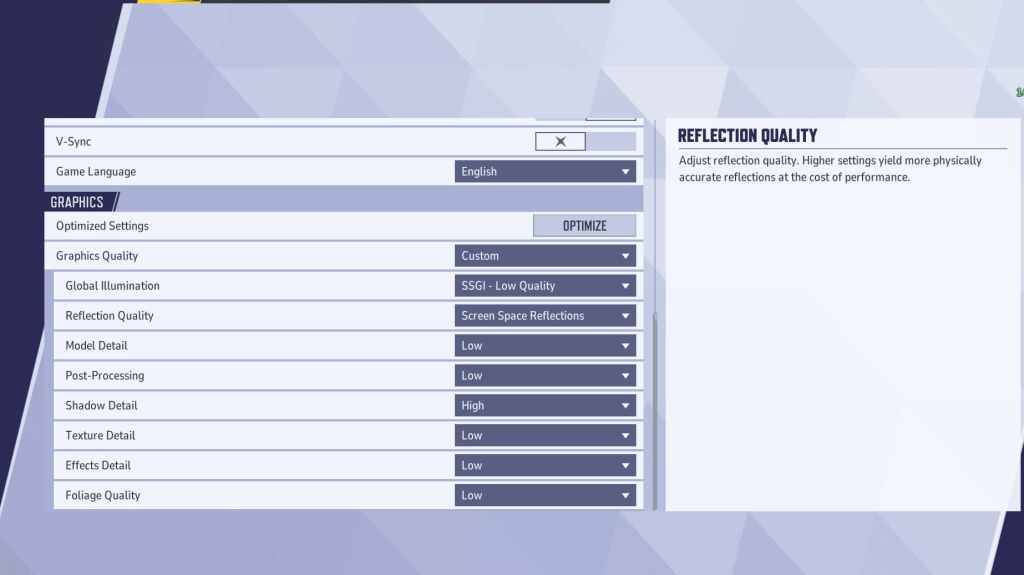
图形设置严重影响性能。优先考虑竞争性比赛的性能优先于视觉忠诚度,以更顺畅,反应迅速的游戏玩法。 高端PC可以容忍中等或高设置以进行增强视觉效果。
| Setting | Description | Best Setting |
|---|---|---|
| Graphics Quality | Preset adjusting multiple visual settings. | Custom |
| Global Illumination | Simulates light bouncing; higher settings improve realism but are demanding. | SSGI – Low Quality |
| Reflection Quality | Clarity and realism of reflections; higher settings enhance detail but impact performance. | Screen Space Reflections |
| Model Detail | Complexity and realism of models; higher settings improve detail but require more processing power. | Low |
| Post-Processing | Adds visual effects (motion blur, depth of field); reduces frame rates. | Low |
| Shadow Detail | Sharpness and quality of shadows; higher settings are visually appealing but performance-intensive. | High |
| Texture Detail | Resolution of in-game textures; higher settings require more VRAM. | Low |
| Effects Detail | Quality of visual effects; lowering reduces clutter and boosts performance. | Low |
| Foliage Quality | Density and detail of environmental elements; lower settings improve FPS in outdoor scenes. | Low |
在游戏和Windows设置中禁用鼠标加速度,以提高瞄准精度。
Marvel竞争对手:最佳音频设置
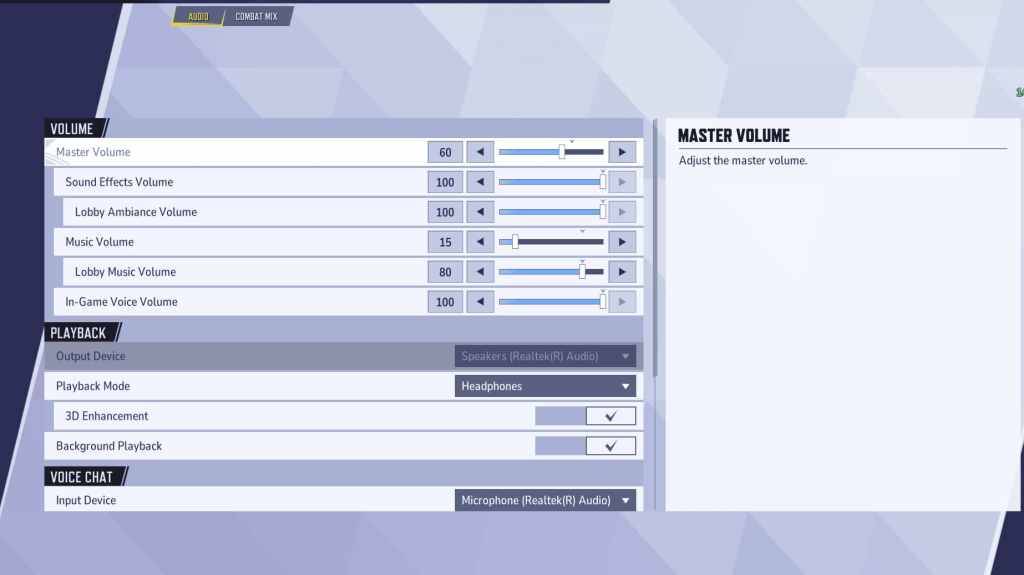
音频会显着影响游戏玩法。 启用 3D增强以增强空间声音,从而提高了定位敌人的能力。 使用 hrtf (如果有)来获得更好的音频提示。将音量水平调整为您的偏好。
该综合指南使您能够微调奇迹竞争对手设置高峰性能和增强的游戏体验。