SocksDroid: A Mobile VPN App Leveraging Android's VPN Framework
SocksDroid is a mobile VPN application designed for Android devices. It utilizes Android's built-in VPN framework to allow users to configure and manage their own SOCKS5 servers. This means you can connect to your preferred VPN service without relying on SocksDroid's own servers. Android's VpnService ensures that your app traffic is routed directly to your specified servers.
Key Features of SocksDroid
Native Android VPN Integration: Seamlessly integrates with Android's VPN functionality, enabling custom SOCKS5 server configurations for personalized security.
Advanced Traffic Control: Directs application traffic through your chosen servers, maximizing data security and privacy on a per-app basis.
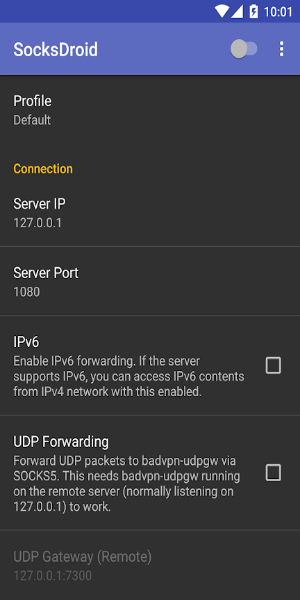
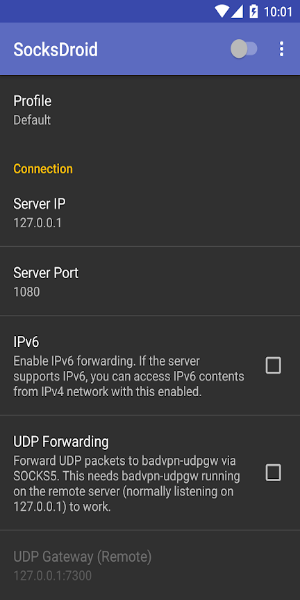
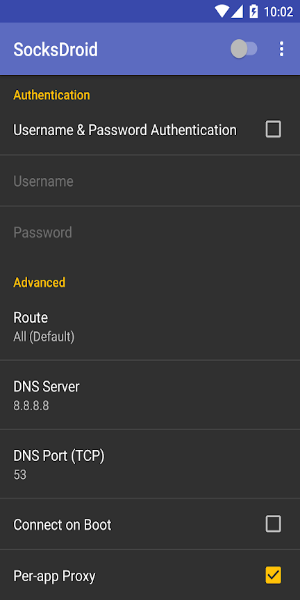
Extensive Customization: Adjust server IP addresses and ports via the Default Profile, enable IPv6 support for potential speed improvements, and optimize UDP Forwarding for efficient data transfer.
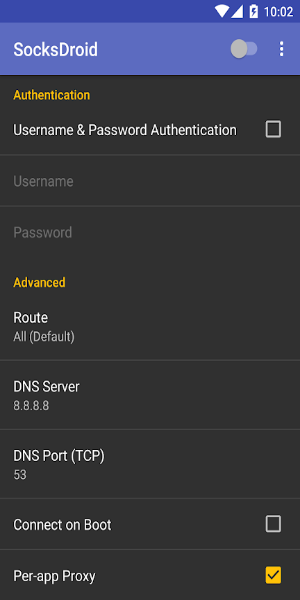
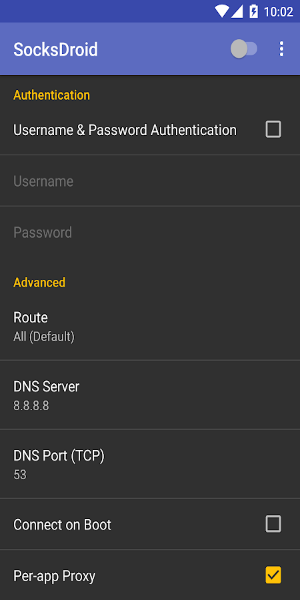
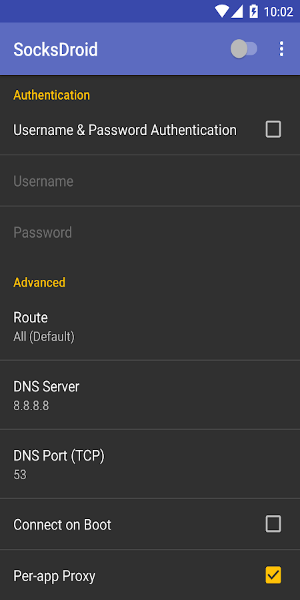
Robust Security: Implement username and password authentication for controlled server access, bolstering connection security.
Flexible Proxy Management: Configure DNS server settings and establish per-app proxy rules to fine-tune internet traffic routing for individual applications.
Adaptable and Accessible: Provides the flexibility to configure SOCKS5 proxies, catering to users who require tailored VPN solutions for diverse browsing needs.
User-Friendly (with caveats): While the underlying technology is complex, the app offers relatively straightforward setup instructions for users experienced with VPN configurations.
Exploring the SOCKS5 VPN Alternative
SOCKS5 proxies enhance online security by routing data through intermediary servers. SocksDroid leverages this by integrating with Android's VPN framework, empowering users to set custom servers for enhanced device protection.
Comprehensive Configuration: Enjoy extensive customization options, including adjusting server IP and port settings, enabling IPv6 (where supported) for faster connections, and optimizing UDP Forwarding for improved data transmission.
Security and Personalization: Enhance security with username and password authentication, controlling access to your servers. Configure DNS settings and manage per-app proxy rules for granular control over your internet traffic. Note that these advanced features require some technical understanding.
Flexibility Meets Complexity: SOCKS5 proxies offer great flexibility for daily browsing, allowing for specific configurations and are generally free to use. However, the intricate settings are best suited for technically proficient users comfortable with setup and configuration.
Advantages:
- Lightweight and free
- Highly customizable configuration
- Per-app proxy management
Disadvantages:
- Requires technical knowledge and setup time
Version 1.0.4 Update: This release includes minor bug fixes and performance enhancements.
User Tips
- For optimal security, always configure username and password authentication for server access.
- Leverage per-app proxy settings to efficiently manage internet traffic based on your application needs.