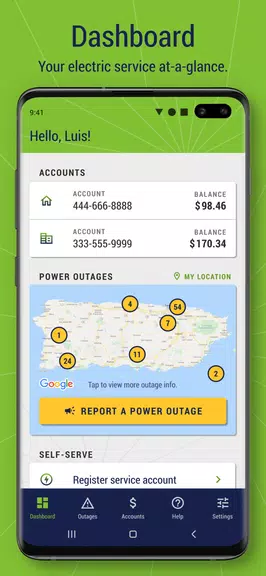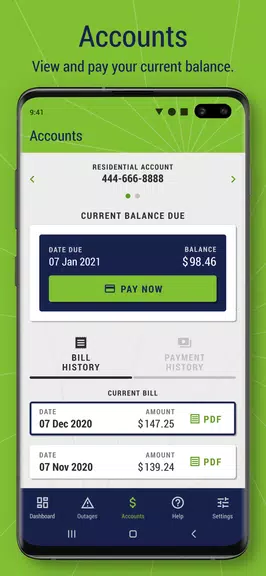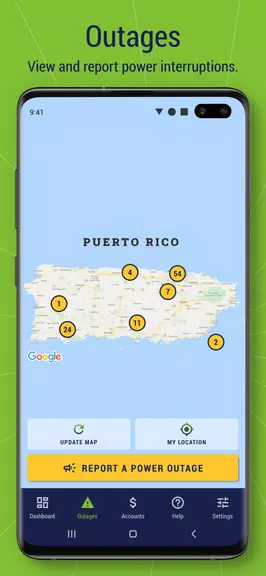

Managing your LUMA account is simpler than ever with the Mi LUMA app. Sign up with a few basic details, then log in securely using your preferred method. Your Dashboard puts your current balance and account info just one tap away. Instantly pay your bill with a credit card or bank account, and review your payment and billing history from the last year. Report outages, browse common questions, and enjoy full control over your electric service account wherever you are.
What Mi LUMA Offers:
- Simple Registration and Login
Register easily using your residential or business account info, including the last four digits of your SSN or EIN. Current users can sign in with their online credentials.
- Biometric Login Choices
After your first login, enable fast, secure sign-in with Face Unlock, fingerprint scan, PIN, or keyboard pattern.
- Dashboard at a Glance
The intuitive dashboard shows your electric account’s current balance, total due, and payment due date.
- Manage Your Bills
View and download your current bill as a PDF right in the app. Pay using a credit card or bank account—payments are credited the same day.
- Payment History Access
Review your last 12 months of bills and payments to track your spending and account activity.
- Report Outages & FAQs
Report outages directly in the app and get answers from the comprehensive FAQ section to help with your switch to LUMA.
User Tips:
* Enable Face Unlock or fingerprint for the fastest sign-in
* Make payments effortlessly with your credit card or bank account
* Check the FAQs for questions or support
* Monitor your account balance and payment due date regularly
Final Thoughts:
Mi LUMA makes managing your electric account easy. Keep track of bills, payments, and outage reports in one handy app. Log in quickly and safely through several options, pay your bill without hassle, and find useful resources when needed. Get Mi LUMA now and enjoy handling your account on the go.